




















How to Make a Wishlist With Links: 4 Ways and a Template
To make a wishlist, write down the gifts you'd like, give each one a link, a price and the size or c...
6 min
November 8

By continuing, you accept the Terms of Use. How we handle data: Privacy Policy.
By continuing, you accept the Terms of Use. How we handle data: Privacy Policy.
A room, a budget, one link — and behind each name a real wishlist with prices. The reservation does not give the Santa away.
 wishdo.io on your phone
Your wishes, friends’ lists and event reminders are always close.


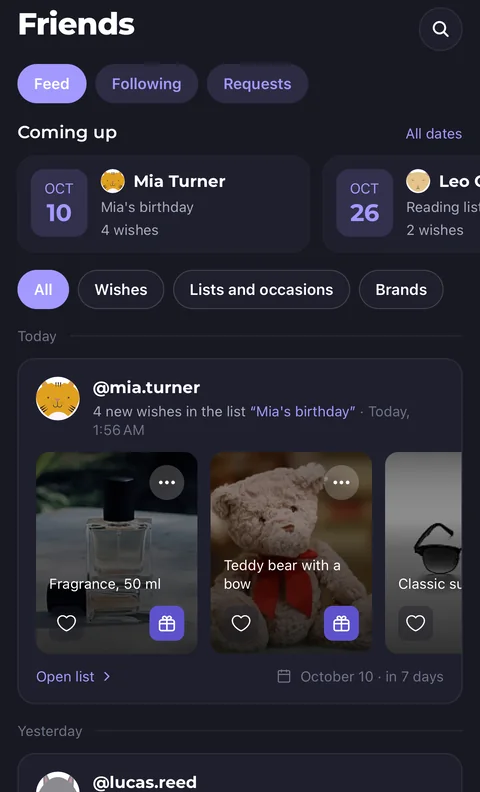
The name, photo and price fill in by themselves. Or pick an idea from brand catalogs and collections.
Public or private, you decide. One link for everyone close to you, in a messenger or on social media.
You see that a gift is reserved, but not by whom. The surprise stays, and nobody buys the same gift twice.
Who sees them, how many givers, where the wishes come from — you decide
You do not see what has already been reserved or by whom — the gifts stay a surprise. And two identical gifts still will not happen.
If you allow it, friends won't need an account: they reserve a gift by the link and, if they leave an email, get a letter with a link to cancel. A reservation nobody needs falls off by itself in two weeks. Guests coming to your party keep gifts from its list until two weeks after it.
Socks, books, tickets: allow several reservations and say how many you need. Everyone reserves their own, the surprise stays.
Move wishes in from a spreadsheet or another service in a minute. Take yours out as CSV or JSON any time.
Everyone, friends, chosen people, only by link or only you — each list has its own choice. A list by link stays out of the profile and search: the people you send the link to open it and reserve without following you.
Open a free brand page with your catalogue, collections and gift certificates, and see how many people view your products, click through to your site and add them to their lists.
For business
To make a wishlist, write down the gifts you'd like, give each one a link, a price and the size or c...

A good wishlist has 10 to 15 things at different prices, each with a link or a clear description, pl...

A wishlist or gift guide with your own affiliate links earns you a commission when people buy throug...

A wishlist is a list of gifts you actually want. You send it to family and friends as one link, and...
A list takes a minute to create. Sign in with Google or e-mail.
Necessary cookies keep the site working. The others help us understand how you use wishdo and are switched on only with your consent. Privacy Policy